
PlayDash provides an MYR cashier with payment options aimed at Malaysian users. During our review, the payment interface displayed DuitNow QR, Touch ‘n Go, FPX, Online Banking, ShopeePay and GrabPay, together with USDT options under the Crypto section.
This guide focuses on how the PlayDash cashier is organised, the deposit information visible for individual methods and what to check when making or reviewing a transaction. Bonus conditions, account registration and mobile installation are covered separately.
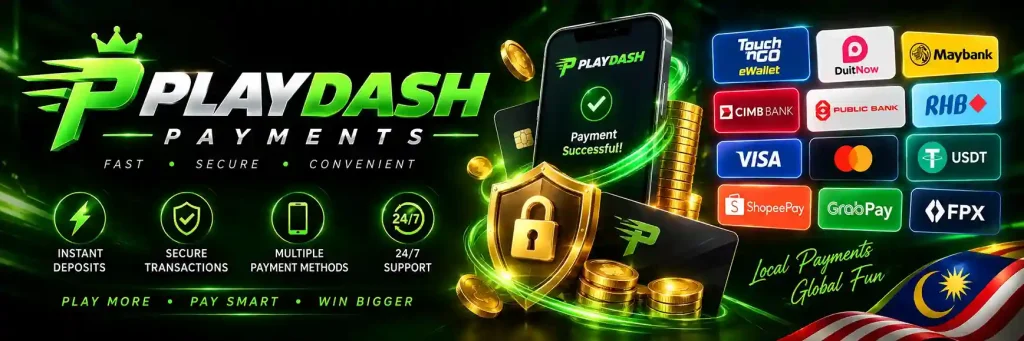
The cashier separates payment methods into different groups rather than presenting every option as the same type of transaction.
In the interface we reviewed, QuickPay included FPX integrations and Online Banking. A separate e-wallet area displayed DuitNow QR, TNG, ShopeePay and GrabPay, while Crypto included two USDT networks.
| Payment Method | Category / Route Observed | Currency or Network Shown |
|---|---|---|
| DuitNow QR | Local payment / QR | MYR |
| Touch ‘n Go | E-wallet | MYR |
| FPX | QuickPay / online banking | MYR |
| Online Banking | QuickPay | MYR |
| ShopeePay | E-wallet | MYR |
| GrabPay | E-wallet | MYR |
| USDT TRC20 | Crypto | TRC20 |
| USDT ERC20 | Crypto | ERC20 |
The methods shown to an individual account can change. The cashier displayed at the time of a transaction should therefore be treated as the current source for available options and limits.
The deposit process begins from the account cashier or wallet. The exact fields depend on the selected payment method.
A typical MYR deposit flow is:
Always check the selected amount and payment method before confirming a transaction.
DuitNow QR was available as a deposit option in the MYR cashier we reviewed.
When we opened the DuitNow deposit screen, PlayDash displayed an accepted amount range of RM30 to RM9,999.
| DuitNow Detail | Displayed During Our Review |
|---|---|
| Currency | MYR |
| Minimum Shown | RM30 |
| Maximum Shown | RM9,999 |
| Bank / Route Label | DUITNOW |
| Preset Amounts | RM100, RM300, RM500, RM1,000 |
| Manual Amount Entry | Available within the displayed range |
These values describe the cashier at the time of our review. They should not be treated as permanent limits if PlayDash later changes its payment configuration.
After selecting DuitNow QR, enter an amount that falls within the currently displayed range.
The reviewed interface also provided preset buttons for RM100, RM300, RM500 and RM1,000. These are shortcuts rather than the only deposit amounts available.
Continue through the DuitNow payment instructions shown for the transaction and verify the amount before approving payment.
If a QR code is generated, use the relevant banking or payment application according to the instructions displayed for that transaction.
Touch ‘n Go (TNG) was also visible among the Malaysian e-wallet options.
During our review, the TNG option was displayed as available from RM30. Additional payment entries labelled with TNG and FPX were also visible in the cashier.
This confirms the starting amount shown for the reviewed TNG option, but it does not establish a permanent maximum, withdrawal limit or transaction time.
Check the current TNG screen before making a payment because the applicable range can differ from the values displayed for DuitNow.
PlayDash displays FPX and Online Banking within its QuickPay payment area.
More than one FPX-related integration was visible during our review.
FPX allows a payment to continue through the relevant online-banking route, while the exact bank selection and confirmation process can depend on the payment interface presented after the method is selected.
Do not assume that a limit observed for DuitNow automatically applies to FPX. Each payment method should be checked individually.
The cashier also displayed ShopeePay and GrabPay among its e-wallet options.
These provide alternatives to DuitNow and TNG for accounts where the methods are currently available.
The screenshots available to us do not establish fixed minimums, maximums or processing times for these two methods. For that reason, those figures are not estimated here.
The amount range displayed after selecting the e-wallet should be checked before confirming a transaction.
PlayDash also provides cryptocurrency options in a separate Crypto section.
The cashier we reviewed displayed:
These refer to different blockchain networks for USDT and should not be treated as interchangeable payment addresses.
The important distinction between the two options is the blockchain network used for the transfer.
| Option | Network | What to Check Before Sending |
|---|---|---|
| USDT-TRC20 | TRON / TRC20 | Receiving network and address |
| USDT-ERC20 | Ethereum / ERC20 | Receiving network and address |
A crypto transfer should be sent using the same network specified by the receiving payment instructions.
For example, selecting a TRC20 deposit route does not mean an ERC20 transfer should be sent to it.
Before confirming a crypto transaction, check the selected network, receiving address and amount carefully. Blockchain transactions can be difficult or impossible to reverse after they have been sent.
MYR payment methods and USDT deposits follow different transaction routes.
| MYR Methods | USDT Methods |
|---|---|
| DuitNow, TNG, FPX and supported e-wallets | Crypto transfer |
| Amount displayed in Malaysian ringgit | Amount handled as USDT |
| Uses local banking or e-wallet infrastructure | Uses a blockchain network |
| No blockchain network selection required | Correct network must be selected |
| Local payment instructions apply | Wallet address and network must be checked |
Users unfamiliar with cryptocurrency should not assume that a USDT transaction works like an ordinary bank or e-wallet transfer.
There is no single deposit limit that should be applied to every payment method based on the evidence currently available.
The clearest range we confirmed is for DuitNow QR: RM30 to RM9,999 at the time of review.
TNG was displayed from RM30, but the same screenshot does not establish its complete maximum range.
Other methods should therefore be checked individually.
| Method | Minimum Confirmed | Maximum Confirmed |
|---|---|---|
| DuitNow QR | RM30 | RM9,999 |
| Touch ‘n Go | RM30 | Not confirmed |
| FPX | Not confirmed | Not confirmed |
| Online Banking | Not confirmed | Not confirmed |
| ShopeePay | Not confirmed | Not confirmed |
| GrabPay | Not confirmed | Not confirmed |
| USDT TRC20 | Not confirmed | Not confirmed |
| USDT ERC20 | Not confirmed | Not confirmed |
This avoids applying the DuitNow range to payment methods for which we have not observed the same limits.
The payment screenshots available to us confirm methods and selected limits but do not establish a universal processing time.
For that reason, we do not repeat older claims that every PlayDash deposit arrives “within minutes” or in under three minutes.
Processing can depend on the selected payment route, the external bank or e-wallet, transaction status and whether additional checks are required.
If a payment has been approved outside PlayDash but the account balance has not changed, check its status before attempting the same deposit again.
Withdrawals should be treated separately from deposits.
A payment method being available for deposit does not automatically prove that the same method is available for withdrawal or that identical limits apply in both directions.
The current material available to us does not confirm a complete PlayDash withdrawal table with verified minimums, maximums and processing times for each Malaysian method.
For that reason, users should check the Withdrawal section of their cashier for the options and limits currently assigned to their account.
Where withdrawal is available from the account cashier, the general process is:
The exact fields and verification steps can depend on the account and selected method.
We do not currently have evidence supporting one universal minimum or maximum PlayDash withdrawal amount.
Deposit limits should also not be reused as withdrawal limits.
For example, the RM30–RM9,999 range observed on the DuitNow deposit screen describes that deposit route only. It does not establish that DuitNow withdrawals use the same range.
Current limits should be taken from the Withdrawal screen before submitting a request.
The older PlayDash content described withdrawals as being completed within hours or minutes.
We do not repeat those figures because the current evidence does not verify a guaranteed processing time.
A withdrawal can involve several stages, including the PlayDash request status, account checks and processing by the receiving payment provider.
The time displayed for the selected withdrawal method, if provided, is more relevant than a general speed claim.
A withdrawal or payment review may require account verification.
The available evidence does not support the old claim that KYC occurs only after the first significant withdrawal. Verification should instead be treated as something that may be requested depending on the account or transaction.
If verification is requested, make sure the account details are accurate and follow the instructions presented for the verification process.
The complete account and identity-verification flow belongs on the Registration guide; here, KYC is relevant only where it affects payment processing.
A deposit may not appear immediately even after the payment process has been started.
Possible causes include:
Check the transaction status before making another identical payment.
Repeated deposits can make it more difficult to determine which transaction is actually pending.
If a bank or e-wallet shows that payment was completed but the PlayDash balance has not updated, keep the transaction record.
Useful information can include the amount, date and time, payment method and transaction reference.
Check the cashier or transaction history first. If the payment remains unresolved, these details can then be provided to support.
Do not share online-banking passwords, wallet passwords or OTP codes when reporting a payment issue.
If the DuitNow payment cannot be completed, first check whether the QR session is still active and whether the selected amount is within the range currently displayed by PlayDash.
A generated payment session can also become invalid if it is left open for too long.
If necessary, return to the cashier and start a new DuitNow transaction rather than repeatedly attempting to use an expired payment instruction.
A failed e-wallet payment can involve either the PlayDash payment route or the external wallet.
Check whether:
Do not submit another payment until the status of the first attempt is reasonably clear.
FPX transactions involve an external online-banking stage.
If the banking process is interrupted, return to the account and check whether the transaction was recorded before starting another deposit.
If the bank shows a completed debit but the PlayDash account does not reflect it, retain the transaction reference and contact support if the status does not resolve.
Selecting the correct blockchain network is particularly important when using USDT.
TRC20 and ERC20 are different networks. A user should not assume that an address or transaction route intended for one network can safely receive funds sent through the other.
Always compare the network selected in the sending wallet with the network specified by the PlayDash deposit instruction before confirming the transfer.
If a transfer has already been sent through the wrong network, do not attempt to “correct” it by sending another transaction without first reviewing the original transfer and available support options.
The screenshots we reviewed do not provide enough information to state that every PlayDash payment method is free.
Fees can potentially arise from the payment provider, bank, e-wallet or blockchain network even when the casino itself does not display a separate charge.
For crypto in particular, network fees can depend on the blockchain and sending wallet.
Review the final transaction amount and any fee displayed before confirmation.
Payment activity can involve banking apps, e-wallets, crypto wallets and the PlayDash account itself.
Basic precautions include:
A support representative may need transaction information to investigate a payment, but should not require the password used to access a personal bank or e-wallet account.
A deposit and a bonus are not the same transaction.
Some promotions may require a qualifying deposit, but the amount needed for a promotion should be taken from that offer’s terms rather than from the general cashier minimum.
For example, the fact that DuitNow displayed a minimum of RM30 during our review does not mean RM30 automatically qualifies for every PlayDash promotion.
Promo codes, wagering requirements, Missions, PD Coins and VIP rewards are covered on the dedicated PlayDash Bonus page.
Easy access to local payment methods can make repeated deposits convenient, but convenience does not reduce financial risk.
Set a gambling budget before opening the cashier and avoid increasing it in response to losses.
If a transaction is pending, check its status rather than immediately making another deposit to continue playing.
Crypto transfers should receive additional attention because sending funds to an incorrect address or network can be difficult to reverse.
Payment limits set by a casino should also not be treated as recommended spending amounts. A displayed maximum indicates what the payment route accepts, not what an individual should deposit.