
PlayDash login is for users who already have an account and need to access it using their existing credentials. Because PlayDash registration can use either a phone number or an email address, the correct login details depend on how the account was originally created.
This guide focuses specifically on PlayDash account access, login problems and credential security. New account creation, Android installation, bonuses and MYR payments are covered separately.
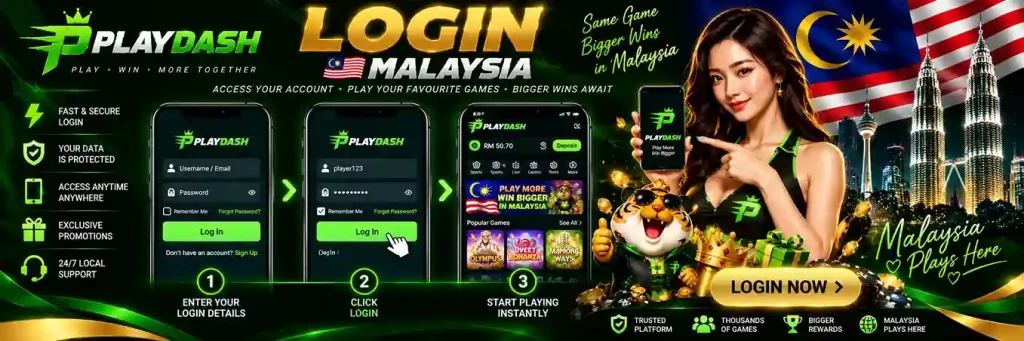
Logging in is different from registering a new PlayDash account.
An existing user should use the credentials connected to the account rather than completing the signup form again.
| Account Action | Purpose |
|---|---|
| Login | Access an existing PlayDash account |
| Registration | Create a new account |
| Password Recovery | Restore access when the password is unavailable |
| Logout | End the current account session |
If the account already exists, creating another registration is not an appropriate solution to a login problem unless the current account rules specifically permit multiple accounts.
The normal login process is straightforward when the correct account credentials are available.
If login fails, avoid repeatedly changing several details at once. First determine whether the problem is the username, phone number, email, password or the session itself.
PlayDash registration supports both Phone and E-mail signup.
That makes the original registration method relevant when returning to the account.
A user who registered with a phone number should use the account details associated with that phone registration. Someone who registered with email should use the corresponding email credentials where the login form requests them.
Do not assume that a different email address or phone number will automatically be recognised simply because it belongs to the same person.
The Malaysian registration form we reviewed displayed +60 for phone-based signup.
When accessing an account created with a Malaysian mobile number, make sure the number corresponds to the one originally used.
If the login interface handles the country code separately, avoid accidentally duplicating +60 in the phone-number field.
The formatting requested by the current login form should always take priority.
Users who created their account through the E-mail registration option should use the email address associated with that account.
Check the address carefully for spelling errors.
A small difference in the username or domain creates a different email address and can prevent the account from being recognised.
If several email addresses are commonly used, identify which one was originally connected to PlayDash rather than attempting to create another account.
Login and registration solve different problems.
| PlayDash Login | PlayDash Registration |
|---|---|
| For an existing account | For a new account |
| Uses existing credentials | Creates new credentials |
| Does not create another account | Creates the account |
| Focuses on account access | Includes signup requirements |
| Used repeatedly | Normally completed once |
This distinction becomes particularly important when an email address or phone number is already registered.
If PlayDash reports that the details already belong to an account, the next step should generally be account access or recovery rather than another signup attempt.
A failed login does not necessarily mean that the account itself has a serious problem.
Common causes can include an incorrect password, a typing error, the wrong phone number or email, unexpected number formatting, or a temporary session issue.
Start with the simplest checks before assuming the account is unavailable.
Confirm the credentials, re-enter the password carefully and make sure the correct login method is being used.
An incorrect password is one of the most straightforward causes of login failure.
Passwords are case-sensitive where the system treats uppercase and lowercase characters differently, so check whether capitalisation has changed.
Also look for accidental spaces introduced through copying and pasting.
If the password is no longer known with confidence, repeated guessing is less useful than using the account-recovery option available through the current login interface.
If the account password has been forgotten, use the recovery process provided by PlayDash rather than opening another account.
The recovery route may require access to the phone number, email address or other account information associated with the original registration.
We do not invent a fixed password-reset sequence because the exact recovery interface has not been directly verified in the material available to us.
Follow the current instructions shown on the login or recovery screen.
If a Malaysian phone number is not recognised, first check that it matches the number used when the account was created.
Then review the country-code formatting.
For accounts registered through the Malaysian signup flow, +60 was the country code displayed during registration.
If the login form supplies +60 separately, entering it again inside the number field may produce incorrect formatting.
Use the structure requested by the current form.
An unrecognised email can result from a simple typing mistake or from using a different address from the one originally registered.
Check the part before and after the @ symbol and make sure there are no accidental spaces.
If the email is valid but PlayDash still does not recognise it, consider whether the account may originally have been created through phone registration instead.
Avoid creating a second account merely because the first email attempt fails.
A message indicating that a phone number or email is already in use generally relates to registration rather than login.
It can be a sign that an account has already been created with those details.
In that situation, return to the login process.
If the password is unknown, use the available account-recovery route instead of attempting another registration with modified details.
A login page that repeatedly refreshes or returns to the same screen can indicate a session or browser problem rather than incorrect credentials.
Try closing the current PlayDash session and opening it again.
If the problem continues, check whether the browser is blocking necessary site data or whether an old session remains active.
Testing another normal browser session can help determine whether the problem is local to the current browser.
An account can occasionally require a new login after a session expires or is interrupted.
Being returned to the login screen does not automatically mean that the account has been suspended.
Re-enter the normal credentials and check whether access is restored.
If unexpected logouts happen repeatedly, especially alongside other unusual account activity, changing the password and reviewing account security is more appropriate than simply continuing to sign in.
Successful credential acceptance and successful account loading are separate stages.
If login appears to work but the account interface does not finish loading, the problem may relate to the connection, browser session or temporary service availability.
Check whether other pages load normally and try reopening the session.
Do not repeatedly reset a correct password when the actual problem occurs after authentication.
An existing account can also be accessed through the PlayDash mobile environment.
The credentials remain account credentials; installing an Android application does not create a separate casino account.
APK download, installation, updates and Android troubleshooting belong on the dedicated PlayDash App page.
This Login guide is concerned with access to the account itself rather than how the application is installed.
If credentials work in one PlayDash environment but fail in another, first confirm that exactly the same account details are being entered.
An outdated application session or local app problem can also affect access.
App-specific troubleshooting should be handled separately from password recovery.
If the issue concerns APK installation, updating or application performance rather than account credentials, use the PlayDash App guide.
After an account has been created, the registration credentials become important for future access.
Users who registered through Phone should retain access to the relevant number, while users who chose E-mail should retain access to that email address.
A promo code entered during registration does not become a login credential.
Likewise, PD Coins, VIP status and MYR balance do not change the phone/email and password combination used for normal account access.
Account login and identity verification are separate processes.
A user can encounter a verification request after accessing the account, but that does not make KYC part of the basic login credential itself.
We do not claim that PlayDash always requests verification at a particular stage because the available evidence does not establish one universal KYC schedule.
If a verification request appears after login, follow the instructions shown for that account.
Logging in provides access to the existing account and its current balance.
It does not itself create a deposit or withdrawal.
DuitNow, TNG, FPX, Online Banking, e-wallets and USDT belong to the PlayDash Payments guide.
If a balance appears different from what was expected after login, first make sure the correct account has been accessed before treating the issue as a payment problem.
Promo codes and rewards are not login credentials.
The PlayDash rewards area includes features such as PD Coins, Bonus Shop products, Missions and VIP progression, but these do not change the normal purpose of the login process.
If an account opens correctly but an expected reward is missing, that is a bonus issue rather than a login failure.
The PlayDash Bonus guide covers those cases separately.
A successful login provides account access, while casino game availability is a separate part of the platform.
If the account opens but a particular slot or live casino game does not load, the login itself has already succeeded.
Game availability, Demo Mode and casino troubleshooting are covered on the Games page.
Separating these issues prevents a game-specific problem from being incorrectly diagnosed as an account-access failure.
The same distinction applies to the Sports section.
If the account is accessible but a particular event or market is unavailable, the problem is not necessarily related to login.
Sportsbook markets can change or be suspended independently of account access.
Odds, settlement and sportsbook-specific issues belong on the PlayDash Sportsbook page.
Repeatedly submitting incorrect credentials can make troubleshooting harder and may trigger security measures on some account systems.
If the same password fails several times, stop guessing and verify the information being entered.
Check the email or phone number first and then use the available recovery process if the password cannot be confirmed.
Do not create another account as a shortcut around a password problem.
Login credentials protect access to account information and funds, so they should be handled carefully.
Use a password that is unique to PlayDash rather than one reused across multiple services.
Do not share the password with friends or other users.
Avoid storing credentials in unsecured notes or sending them through messages.
If there is reason to believe that another person knows the password, changing it is safer than waiting for suspicious activity to appear.
Account credentials should only be entered into the intended PlayDash login environment.
Be cautious with unsolicited messages asking users to “verify” an account by sending a password or entering credentials into an unfamiliar form.
A legitimate support interaction should not require a user to disclose their normal password directly to another person.
If a login screen looks materially different from the expected account interface, verify where the credentials are being entered before continuing.
Sharing one account between several people creates both security and account-control problems.
It becomes difficult to determine who made a transaction, changed a setting or placed a wager.
Credentials should remain under the control of the account holder.
This is particularly important where the account contains MYR balance, promotional rewards or personal verification information.
The password created for PlayDash should not also protect an email account, banking service or other important login.
Password reuse increases the impact of a credential leak from any one service.
A unique password limits that risk.
The Registration page explains the minimum password requirements observed in the signup form, while the security principle here is broader: meeting the minimum rules is not the same as choosing a strong password.
Logging into a gambling account on a shared device can expose account information to other users.
Avoid saving the password in a browser that other people can access.
Log out when the session is finished and make sure the account does not remain open in the browser.
On a public device, leaving a session active can be more serious than simply forgetting to close an ordinary webpage because the account may contain financial information and an accessible balance.
Consider changing the password if:
Changing a password is a security response, not a solution for every technical loading problem.
If the credentials are correct but the platform itself is not loading, repeatedly changing the password may not help.
A login from a different phone or computer can behave differently from an existing session because no previous browser or application session is stored on the new device.
Make sure the normal account credentials are available before switching devices.
If additional account confirmation is requested, follow the current instructions shown by PlayDash.
We do not claim that one specific verification method is always triggered on a new device without direct evidence of that process.
Changing access to a phone number or email can matter when that contact information is connected to account recovery.
If the original contact method is no longer available, do not create a replacement account automatically.
Use the account-support or recovery process available for the existing account.
Be prepared to provide whatever account information the current recovery procedure legitimately requires, but never disclose a normal password to another person.
Support becomes relevant when normal credential checks and the available recovery process do not restore access.
Examples include an account that remains inaccessible despite correct details, a recovery method tied to contact information that is no longer available, or unexplained account activity.
When describing the problem, provide useful non-secret information such as the account identifier or registered contact method where appropriate and the error being displayed.
Do not send the account password.
Secure login habits are also part of responsible gambling.
An account should remain under the control of the person who created it and should not be made available to someone who should not be gambling.
If taking a break from gambling, repeatedly logging back in can undermine that decision.
Responsible Gaming is covered in its dedicated guide, including budgeting, recognising harmful patterns and reducing access when gambling stops being controlled.