
PlayDash registration can be completed using either a mobile phone number or an email address. In the Malaysian signup interface we reviewed, users could switch between Phone and E-mail registration, with Malaysia selected as +60 for phone-based signup.
This guide focuses specifically on creating a PlayDash account and completing the registration form correctly. Login problems, bonuses, MYR payment methods and the PlayDash app are covered separately rather than being repeated as part of the signup process.
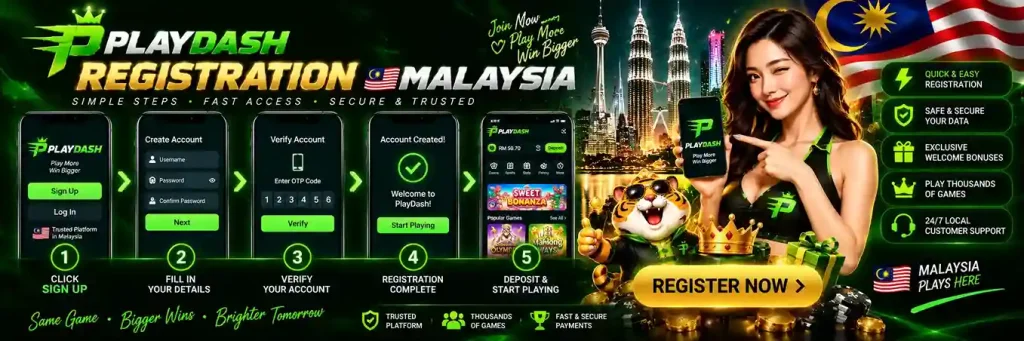
The PlayDash registration form provides two ways to create an account: Phone or E-mail.
Both routes require a password and confirmation that the user is over 18 and accepts the terms and conditions. An optional promo-code field is also available.
| Registration Detail | What We Observed |
|---|---|
| Phone Registration | Available |
| Email Registration | Available |
| Malaysia Phone Code | +60 |
| Password Length | At least 8 characters |
| Password Requirement | At least 1 lowercase letter and 1 digit |
| Age Confirmation | 18+ checkbox |
| Terms Acceptance | Required through the signup checkbox |
| Promo Code Field | Optional field displayed |
| Registration Button | Sign up |
These details describe the registration interface we reviewed. Form requirements can be updated, so any instructions displayed during signup should take priority if they later change.
Creating an account starts by choosing between phone and email registration.
The basic process is:
Avoid entering placeholder or inaccurate account information simply to complete the form. Correct contact details can become important for account access and verification later.
Phone registration is one of the two signup methods available in the PlayDash form we reviewed.
For Malaysian users, the form displayed Malaysia +60 before the phone-number field.
Before submitting the number, check that the correct country code is selected.
Enter the Malaysian mobile number in the format requested by the form rather than manually adding additional prefixes if the +60 code has already been selected.
The exact formatting accepted by the form should take priority over assumptions about how the number should be written.
The +60 prefix identifies Malaysia in the phone registration flow we reviewed.
This is particularly important when a registration interface supports more than one country or regional account context.
If Malaysia is intended, verify that +60 is selected before entering the mobile number.
A wrong country code can cause problems if the account later relies on that phone number for communication or account access.
PlayDash also provides an E-mail tab for account creation.
This route uses an email address instead of a Malaysian mobile number as the main registration credential.
The process remains straightforward: select the E-mail option, enter an accessible email address, create a valid password, complete the required confirmation and submit the form.
Use an email address that you control and can continue to access. Temporary or inaccessible addresses can create unnecessary problems if account-related communication is later sent by email.
Both signup methods lead to the same basic purpose: creating a PlayDash account. The main difference is the contact information used during registration.
| Phone Registration | Email Registration |
|---|---|
| Uses a mobile number | Uses an email address |
| Malaysia +60 was displayed | No phone country code required |
| Requires a password | Requires a password |
| Includes 18+ / terms confirmation | Includes 18+ / terms confirmation |
| Promo-code field can be opened | Promo-code field can be opened |
Choose the option linked to contact details that you expect to keep accessible.
There is no basis in the interface we reviewed for claiming that one registration method provides better bonuses, faster withdrawals or different casino access than the other.
The registration form we reviewed displayed specific password requirements.
A new password must contain:
These are the requirements visible in the signup interface we examined.
If PlayDash displays additional requirements during registration, follow the current form rather than relying only on an older guide.
Meeting the minimum registration rules does not necessarily make a password strong.
Avoid using a password already associated with email, banking, social media or another gaming account.
Names, birthdays, phone numbers and simple sequences are also poor choices because they can be easier to guess.
A longer unique password containing a mixture of character types generally provides better account protection than simply meeting the minimum eight-character requirement.
The password should also be stored securely rather than shared with another person.
The PlayDash registration form we reviewed requires users to confirm that they are over 18 years old.
The same checkbox also includes acceptance of the platform’s terms and conditions.
Do not select the confirmation unless both statements are true.
The presence of an 18+ checkbox is an account requirement. It should not be interpreted as a statement that online gambling is legally available to every adult in every location.
Users remain responsible for checking the rules that apply where they are located.
Account registration requires acceptance of the PlayDash terms and conditions shown through the signup form.
Those terms can govern matters such as account use, eligibility, transactions, promotions and other platform rules.
Because the terms form part of the account agreement, they should be reviewed before registration rather than treated as a purely technical checkbox.
Our separate Terms page focuses on these conditions in more detail.
The signup form includes an I Have a Promo Code option.
This means a code can be entered as part of registration when the user already has an eligible promotion.
The presence of the field does not mean that a promo code is required to create an account.
It also does not confirm that a permanent no-deposit code or one universal PlayDash code is currently available.
Current promo-code availability and reward conditions are covered on the dedicated PlayDash Bonus page.
No promo code was shown as a mandatory registration field in the interface we reviewed.
The option is presented separately for users who already have a code.
If no valid code is available, registration should not be confused with promotional activation.
Likewise, entering random codes found in old reviews does not guarantee that a reward will be applied.
A code can expire, have account restrictions or belong to a different campaign.
If a code is available during registration, review the associated promotion before applying it.
Important conditions can include eligibility, expiry, deposit requirements, wagering requirements and restrictions on games or sports markets.
These conditions belong to the promotion rather than to the basic registration process.
This distinction is why the Registration page does not reproduce the full PlayDash bonus system, PD Coins, Bonus Shop, Missions or VIP Program.
Registration errors are easier to prevent before the account is created.
Before selecting Sign up, check that:
A short review can prevent later access problems caused by incorrect contact information.
If selecting Sign up does not complete registration, inspect the form for validation messages.
A field may be incomplete, the phone number or email may be rejected, or the password may not satisfy the current requirements.
The age and terms checkbox also needs to be completed where required.
Correct the specific field highlighted by the form rather than repeatedly submitting unchanged information.
A password can be rejected when it does not meet the displayed rules.
Based on the registration form we reviewed, check that it contains at least eight characters, at least one lowercase letter and at least one digit.
Also check for accidental spaces or typing mistakes.
If the current form displays additional requirements, those current instructions take priority.
First confirm that Malaysia +60 is selected.
Then check the number for missing or duplicated digits and follow the formatting expected by the registration field.
If the country code is already supplied separately, avoid automatically typing +60 again unless the form specifically requires it.
Persistent rejection can indicate that the format is incorrect or that the number cannot currently be used for registration.
Check the address for spelling errors and make sure it uses a normal email format.
An accidental space, missing @ symbol or incomplete domain can cause validation to fail.
If the address is correctly formatted but still rejected, avoid creating variations of the same account details repeatedly.
Use the information shown by the form to determine whether the problem is with formatting or account eligibility.
A message stating that contact information is already associated with an account can indicate that registration has previously been completed with those details.
In that situation, creating another account may not be the appropriate solution.
Existing users should use the normal login or account-recovery process instead.
The dedicated PlayDash Login guide covers access problems separately.
A successful signup should result in the account moving beyond the registration form into the normal account experience or displaying confirmation that creation was completed.
If the form remains open with an error, do not assume the account exists.
Likewise, avoid submitting the same form many times if the status is unclear.
Check whether the account can be accessed using the credentials just created before attempting another registration.
Registration and login are separate account actions.
| Registration | Login |
|---|---|
| Creates a new account | Accesses an existing account |
| Requires new signup details | Uses existing credentials |
| Includes age and terms confirmation | Does not create another account |
| Can include an optional promo-code field | Promo-code activation is not the purpose of login |
| Used once for account creation | Used whenever account access is required |
If an account already exists, the correct route is generally login rather than registration.
Account-access troubleshooting belongs on the PlayDash Login page.
Creating an account should not be confused with identity verification.
The signup form we reviewed establishes the information required at the registration stage, but it does not provide enough evidence to claim one universal KYC schedule for every PlayDash user.
Verification may be requested separately depending on account or transaction requirements.
We therefore do not repeat the older claim that identification is unnecessary initially or that KYC occurs only at a particular withdrawal threshold.
If verification is requested, follow the current instructions attached to the account.
The registration interface we reviewed does not establish a universal rule about when identity verification will occur.
For that reason, it would be misleading to promise that every user can complete all account activity without verification until a specific later stage.
Registration requirements and KYC requirements should be treated separately.
The fact that a signup form initially asks for phone or email details does not prove that additional information can never be requested.
The Malaysian PlayDash experience uses MYR as its local account context.
However, account registration and funding are separate steps.
Creating an account does not require this page to reproduce DuitNow, TNG, FPX, Online Banking or e-wallet instructions.
Those methods, confirmed deposit ranges and transaction troubleshooting are covered in the dedicated PlayDash Payments guide.
Before any later transaction, check the currency displayed on the account and cashier.
A PlayDash account should also be distinguished from the software used to access it.
The Android app provides another way to access PlayDash, but APK download and installation are not part of the registration instructions on this page.
Users who need Android installation, updates or APK troubleshooting should use the PlayDash App guide.
Once an account exists, the same account credentials should be handled securely regardless of the device used for access.
Registration creates access to the account; it does not change the mathematical characteristics of casino games.
Slots, live casino, Demo Mode, RTP and volatility are therefore not part of this signup guide.
Those subjects are covered on the PlayDash Games page.
Likewise, registering through phone rather than email should not be assumed to produce different game outcomes or a different RTP.
The PlayDash Sports section is also separate from account creation.
Registration provides an account through which available platform sections can be accessed, but sports markets, odds, bet settlement and Sport Freebet rules belong to the Sportsbook guide.
There is no reason to repeat those mechanics during signup.
The important registration task is simply to create the account with accurate information and secure credentials.
We do not use the registration form alone to infer a multiple-account policy.
Account limits and duplicate-account rules should be taken from the current PlayDash terms and conditions.
Users should not create additional accounts merely to work around an access problem, promotion restriction or verification request.
If an existing account cannot be accessed, use the login or support route rather than assuming that a second registration is permitted.
Account security begins when the credentials are created.
Use contact details that you control, choose a unique password and do not share login credentials with other people.
Be particularly careful with anyone asking for a password or other sensitive account information outside the normal account-access process.
A registration form should also be reviewed carefully before submission so that account details are not accidentally entered incorrectly.
Once registration is successfully completed, the new account can move into the normal PlayDash account environment.
From there, different sections of the platform can be explored separately.
Casino games and Demo Mode are covered in the Games guide, promotional features in the Bonus guide, MYR transactions in Payments and Android installation in the App guide.
Keeping these steps separate makes it easier to understand what registration actually does: it creates the account. It does not itself activate every promotion, complete verification or make a financial transaction.
Only create a gambling account when participation is permitted for you and when real-money gambling fits within a controlled entertainment budget.
The registration form we reviewed requires confirmation that the user is over 18.
Do not create an account on behalf of an underage person or allow another person to use your credentials.
Account creation should also not be driven by the expectation that a signup promotion will produce guaranteed profit.
Bonuses remain subject to conditions and gambling outcomes remain uncertain.